Skip to content
BLUE OAK MEDIA
Industry · Roofing

Roofing marketing measured in signed jobs, not clicks.

We run marketing for roofing and exterior companies and give them a portal that connects every ad dollar to the CRM: storm campaigns that launch the day the hail falls, revenue by lead source, and cost per lead by parish or county. Don’t take our word for it — open the live demo and click around.

Quick sign-up, no sales call required. A fictional two-office roofer with example numbers, refreshed every morning.

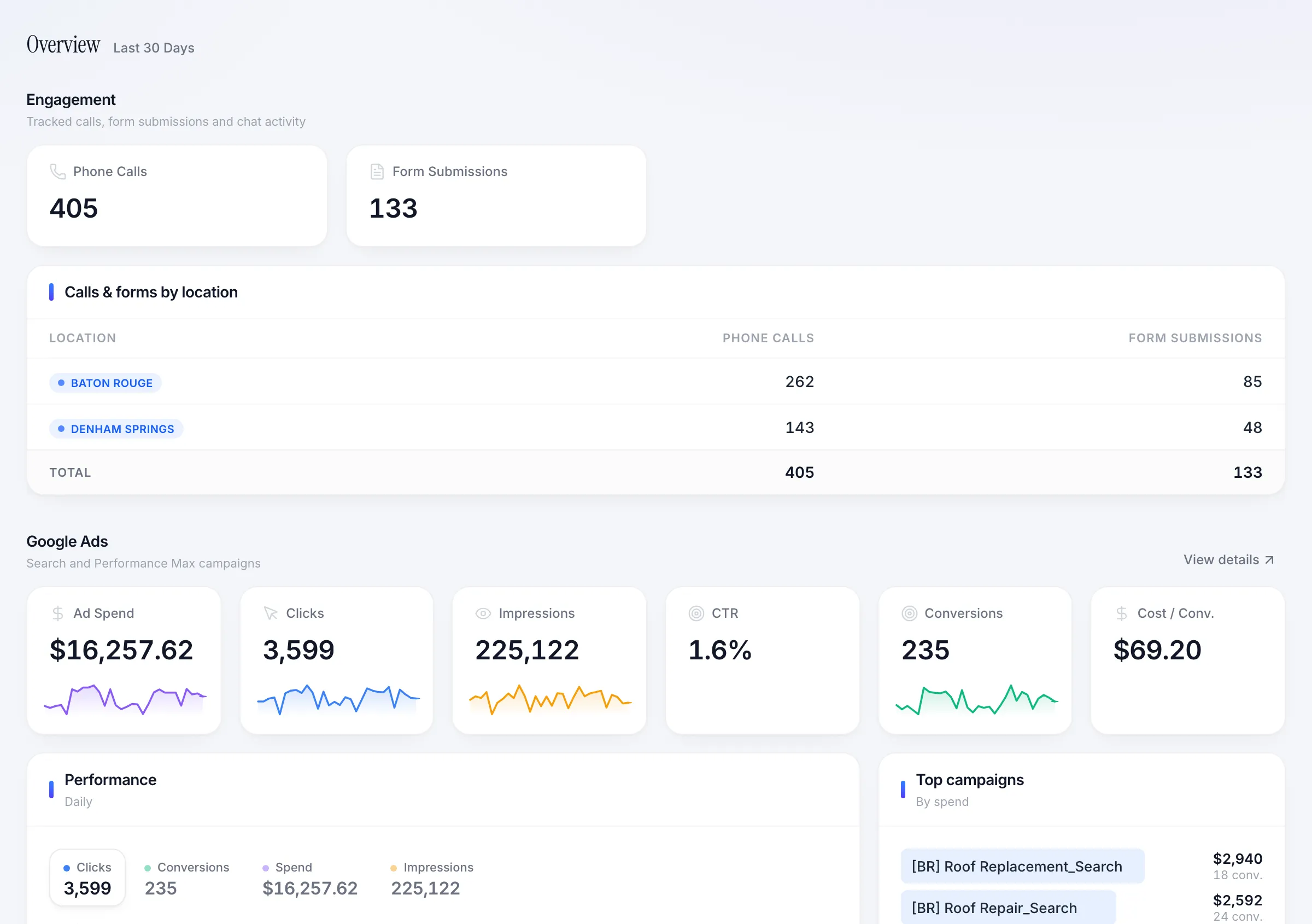
Roofing portal overview with calls, form submissions, and ad performance by office
MinutesFrom a National Weather Service alert to drafted storm ads
Per sourceApproved jobs, close rate, and contracted revenue
Per parish/countyAd spend, cost per lead, and jobs by where customers live
Per officeEvery screen splits by office or rolls up the company
Why it's different

Most roofing agencies stop at the lead. We start at the contract.

A typical agency report ends at clicks and lead counts. Whether any of it turned into signed roofs is a question for the office manager at the end of the month — maybe.

We built our platform running real home-services companies. It reads the CRM, the phones, the ad accounts, and the weather, and lines them up so one question gets one answer: what is this money building?

You see the same screens we do. No monthly PDF, no waiting for a call to get your numbers.

The platform

Every screen answers one question a roofer actually asks.

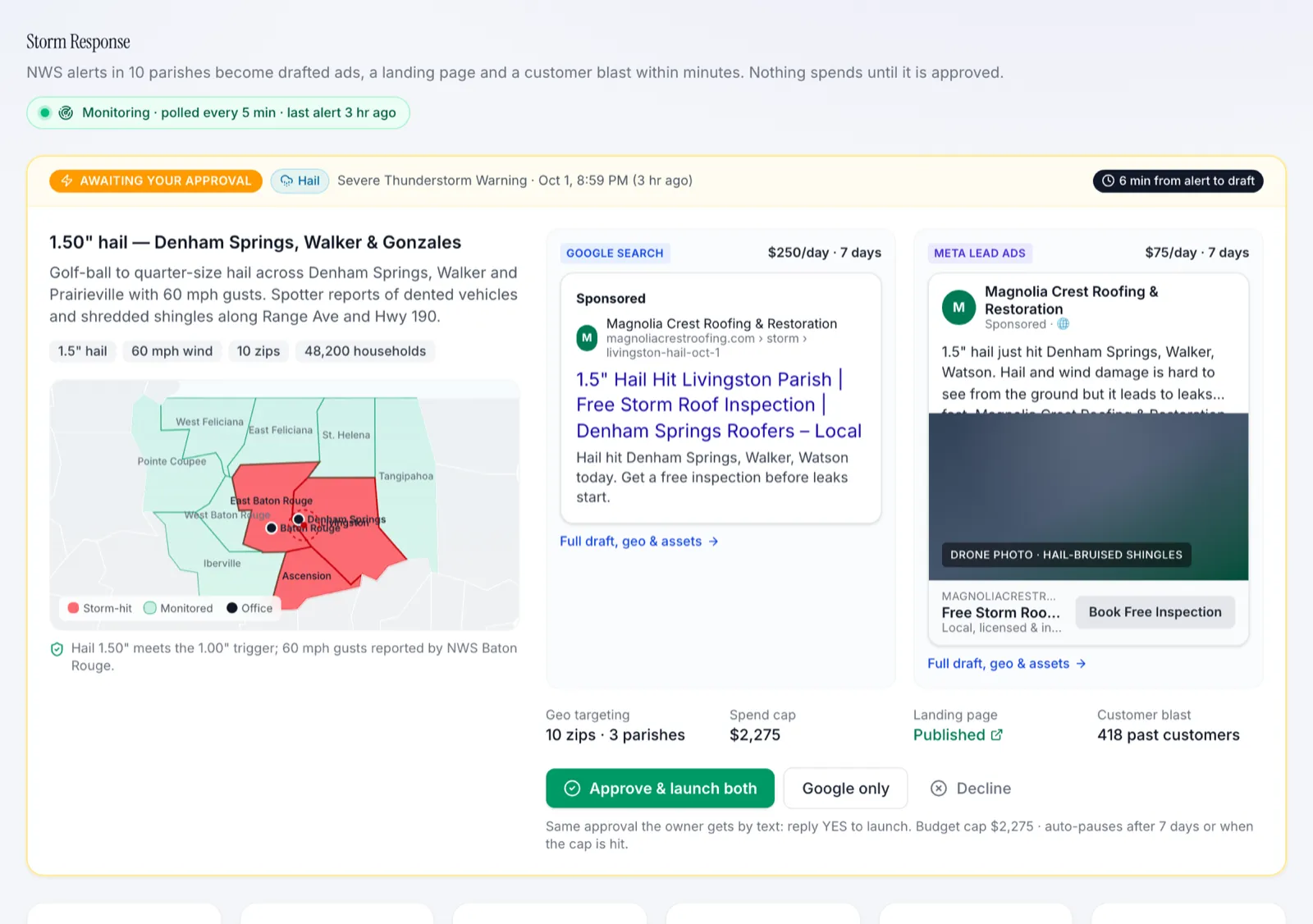
01 · Storm Response

Can my ads be running before the other roofers wake up after a storm?

When the National Weather Service issues a hail, wind, or tornado alert in your service area, Google and Meta storm campaigns are drafted in minutes and go live when you tap approve.

  • Every alert in your area
  • Drafted within minutes
  • You approve, it launches
Storm Response dashboard with storms detected, campaigns launched, storm leads, signed jobs, and contracted revenue
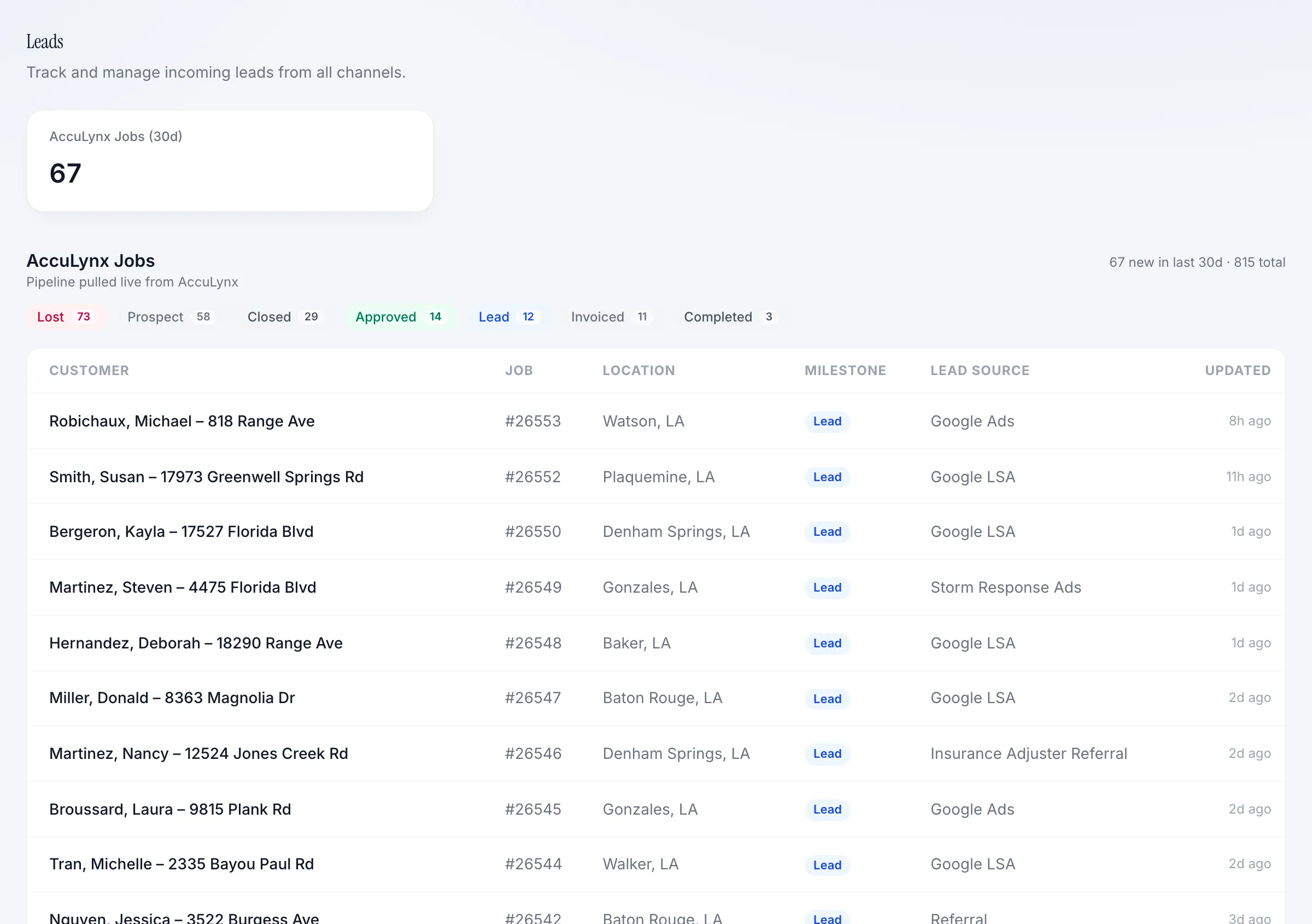
02 · Jobs & Revenue

Which lead sources turn into signed roofs?

Every lead pulled from your roofing CRM and lined up against approved jobs and contracted revenue, so each lead source is judged on signed work, not form fills.

  • Revenue by lead source
  • Live job pipeline
  • Repair vs. replacement
Leads dashboard with total leads, approved jobs, contracted revenue, and close rate by lead source
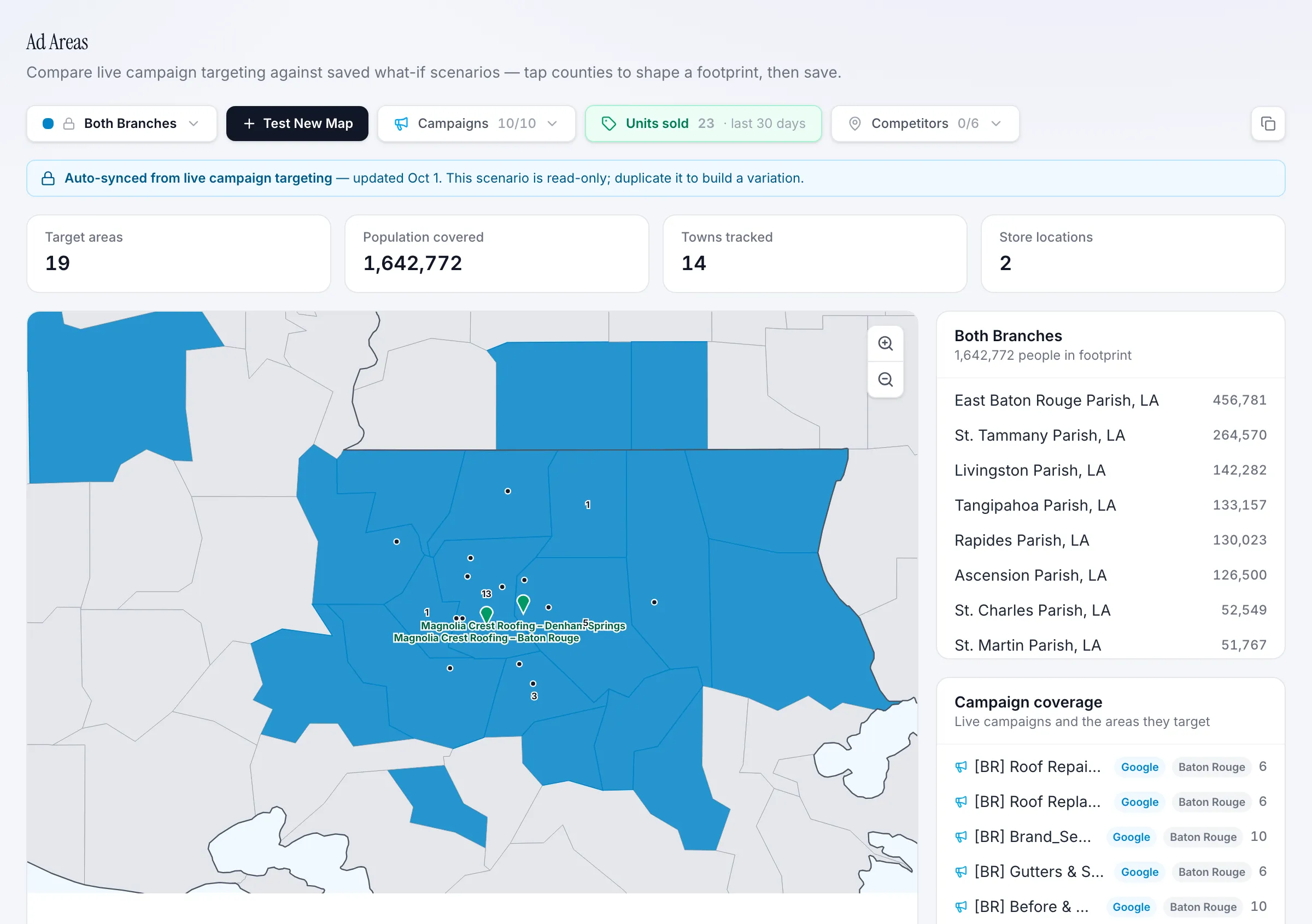
03 · Ad Areas

Which towns are worth the ad money?

Cost per lead by primary and secondary market, and jobs plotted by the parish or county your customers live in. Find out which towns are worth the ad money.

  • Cost per lead by area
  • Jobs by customer parish or county
  • Parish and county drill-down
Ad Areas map showing targeted parishes with jobs per parish for a two-office roofer
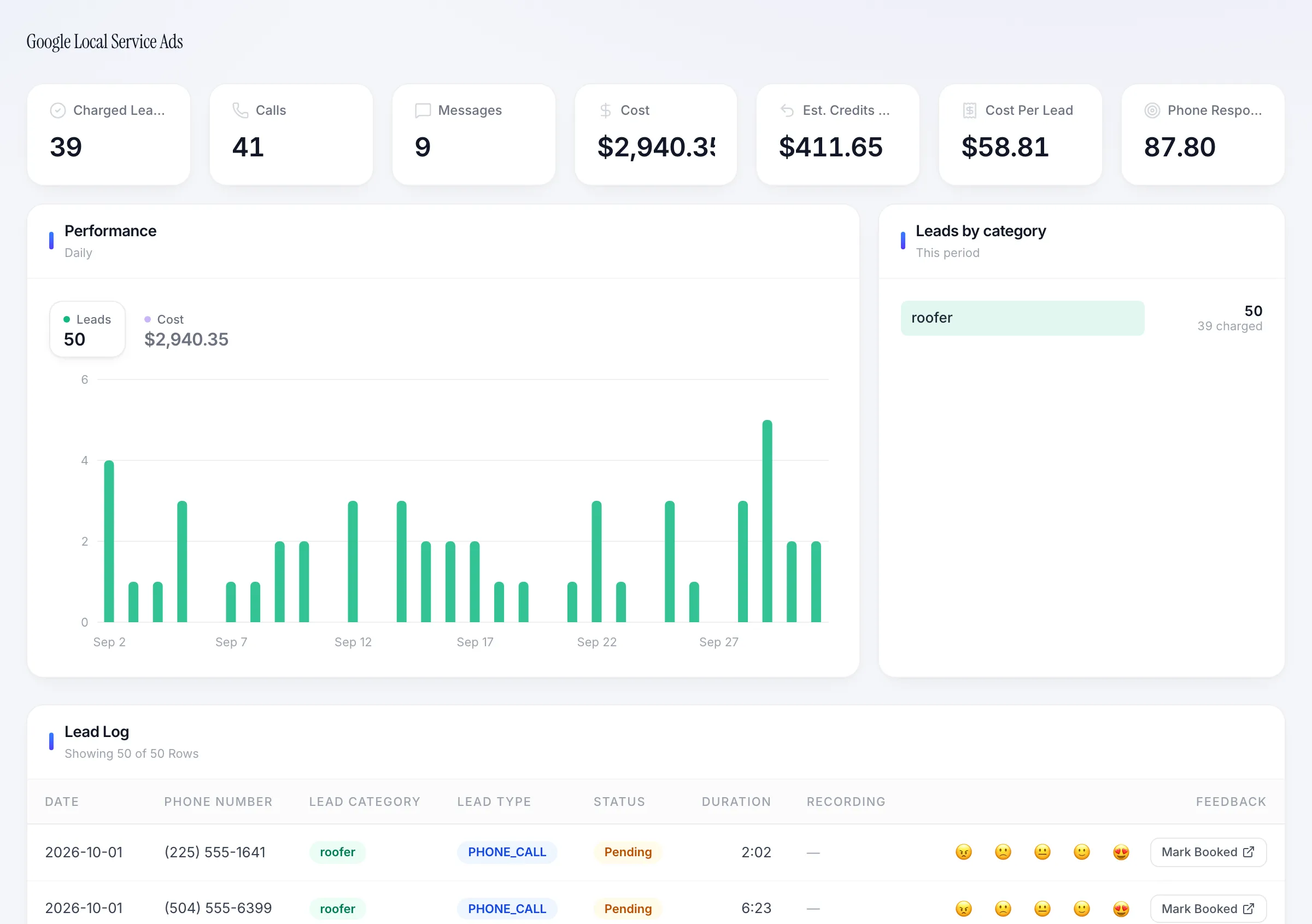
04 · LSA & Call Tracking

Which calls were real roofing jobs — and which LSA leads should I dispute?

Local Services Ads leads, charged-lead cost, and credit-back disputes next to every tracked call — with call summaries sorted into estimates, repairs, and insurance claims.

  • LSA lead log
  • Estimated credits back
  • Call summaries
Google Local Services Ads dashboard with charged leads, cost per lead, calls, messages, and estimated credits back
05 · Reviews & Google Business

Are we getting reviews from every job, and answering them?

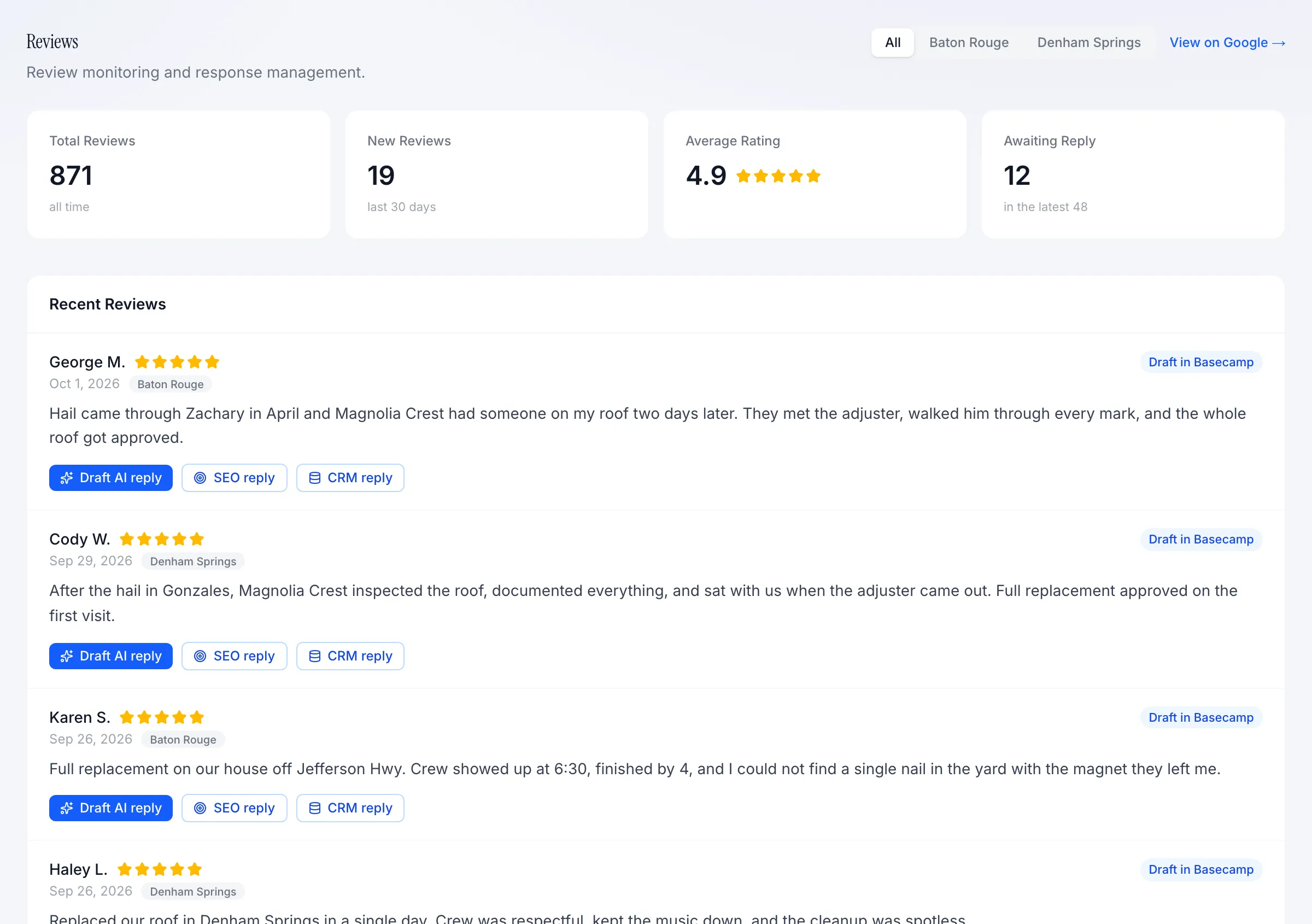
Reviews across every office in one place, drafted replies, and Google Business listing performance — calls, direction requests, and searches — per location.

  • All offices, one inbox
  • Drafted replies
  • Listing performance
Reviews dashboard with average rating, review count, recent reviews, and reply status per office
06 · Ad Spend & Budget

What did I really get for the ad spend this month?

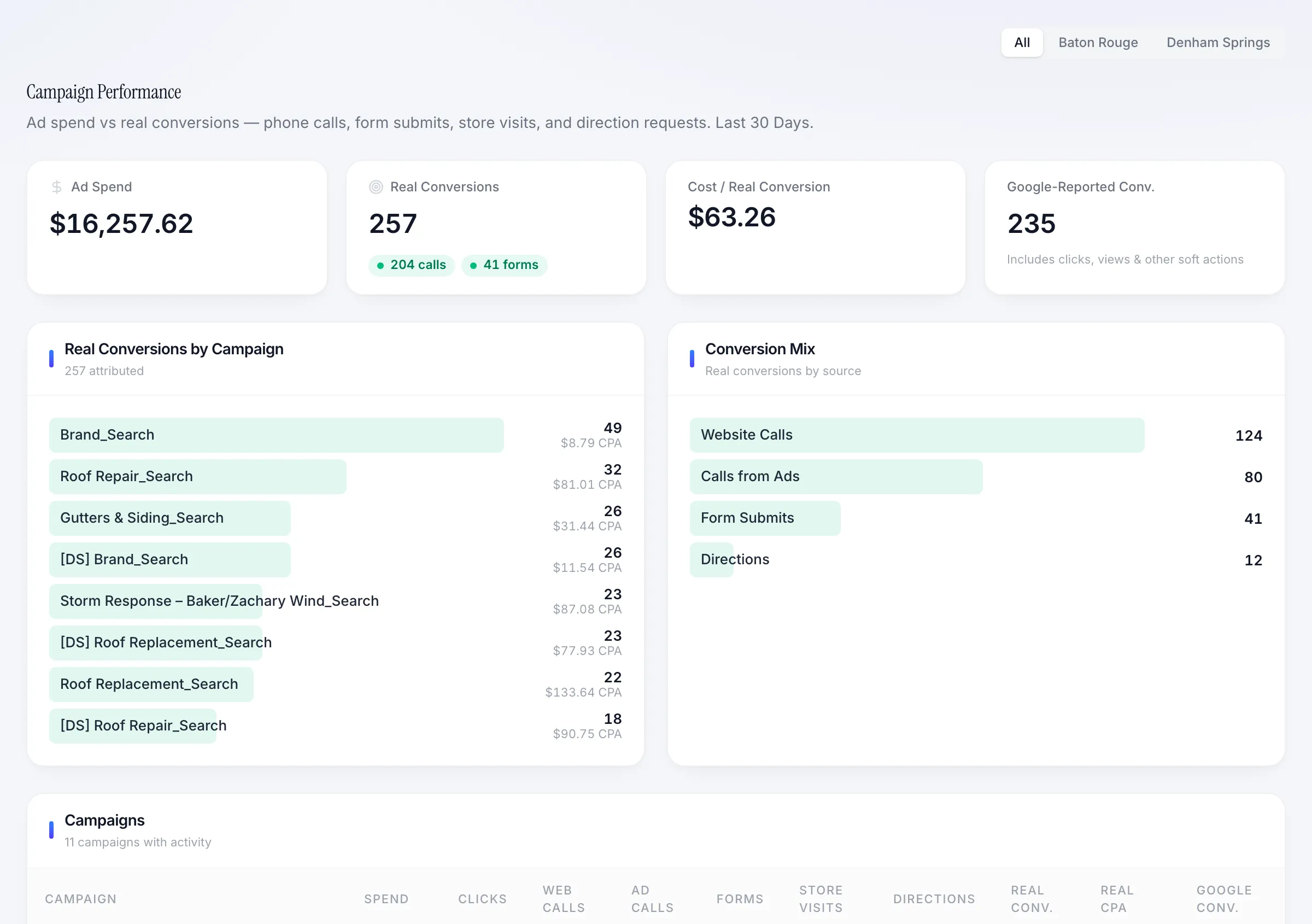
Real conversions per campaign — calls, inspection bookings, forms — and monthly budget pacing across every channel and vendor you pay.

  • Real conversions by campaign
  • Budget pacing
  • Storm spend separated
Campaign performance showing ad spend, real conversions, cost per real conversion, and conversion mix for roofing campaigns
Also in the portal

And the rest of the company’s marketing.

  • AI chat

    A website assistant that answers service, financing, and insurance questions and captures inspection requests after hours.

  • Website behavior

    Real sessions with bots removed, friction signals like rage clicks, and the pages that produce inspections.

  • Form tracking

    Every inspection request, repair estimate, and financing pre-qual by office and page.

  • Analytics & SEO

    GA4 traffic and search rankings for the services and towns you want to own.

  • Meta campaigns

    Before-and-after, financing, and storm-inspection campaigns on Facebook and Instagram.

  • Number directory

    Every tracking and office number in one place, so nothing rings to a dead line.

How it works

Live in weeks, not quarters.

  1. 01

    Connect the systems

    CRM, ad accounts, Local Services Ads, call tracking, and Google Business. We do the plumbing.

  2. 02

    Map the service area

    Offices, primary and secondary areas, storm trigger rules, and your approval contacts are set up once.

  3. 03

    Run the marketing

    Our team runs Google, LSA, Meta, chat, and content against the numbers in the portal — not against impressions.

  4. 04

    Review it together

    Monthly reviews start from signed jobs and revenue, then work backwards to where the money goes next.

Live demo

Spend five minutes in it before you spend twenty with us.

Every module our roofing clients use, including Storm Response, loaded with a fictional two-office roofer. Read-only, so click anything — even the approve button.

Open the live demo

Ready to put a marketing + technology team behind your business?

20-minute intro call. We'll tell you what we'd build first.

Free evaluation

Schedule a free growth evaluation

Tell us where you're trying to grow. We'll look at your site, ads, local presence, and automation gaps before we talk.

No sales deck. Just the first three moves we would make.