Hail at 4pm. Ads live by 4:30.
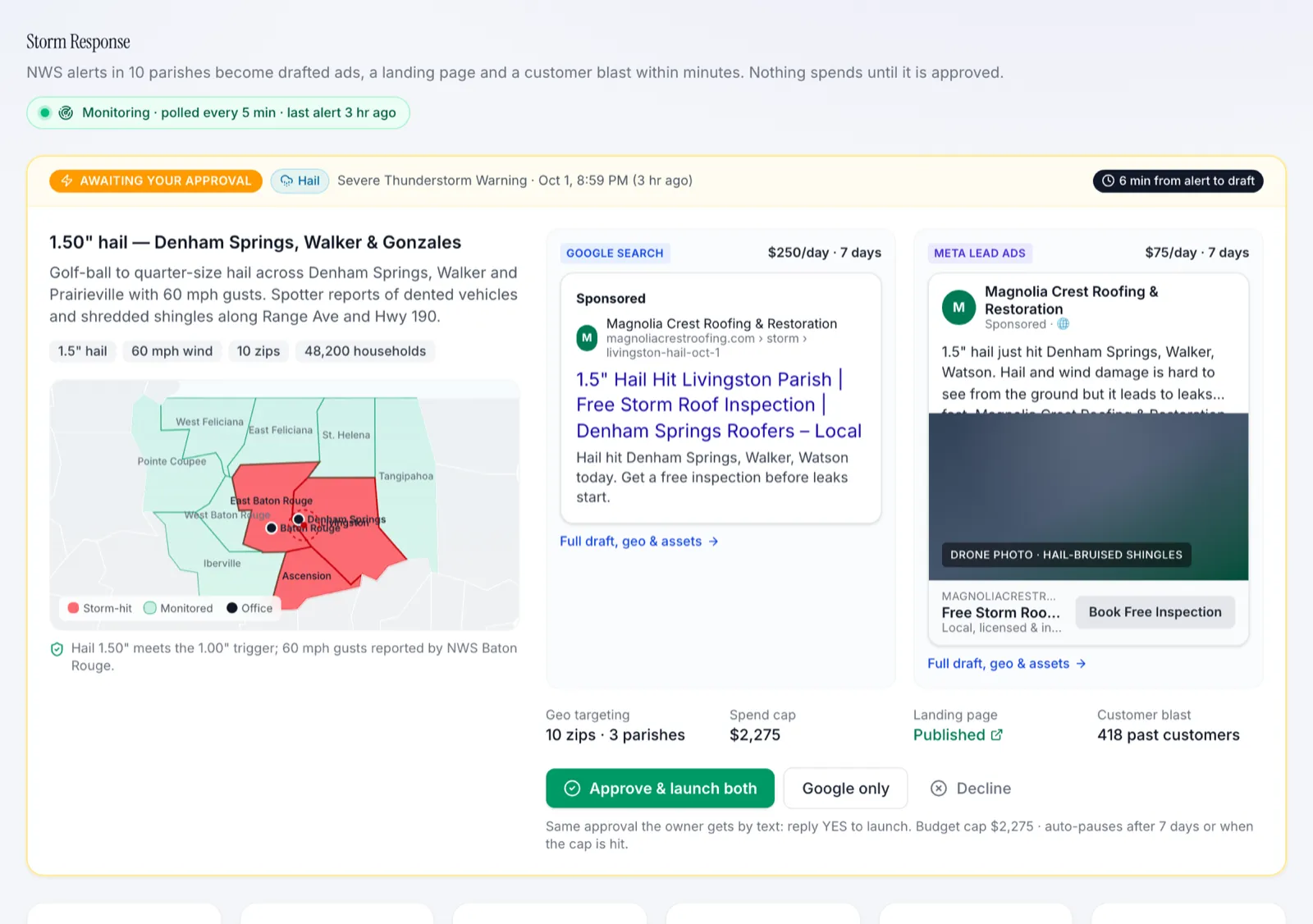
Storm Response watches every National Weather Service alert inside your service area. When one clears your trigger rules — hail size, wind speed, a confirmed tornado — it drafts Google Search and Meta lead campaigns for the hit zip codes, sends you the draft, and launches when you approve. Then it tracks every lead, inspection, and signed job that storm produced.
Quick sign-up, then click anything. It's a fictional roofing company with example numbers.
After a storm, the first roofer on the phone gets the job.
Homeowners search "roof damage inspection" the evening of a hailstorm and the morning after. By the time someone at the office notices the weather, builds a campaign, and gets it through review, the best two days are gone.
And when storm ads do run, nobody can say afterwards what they made — the leads get mixed into the regular numbers.
From weather alert to signed job, on one screen.
Every alert in your area
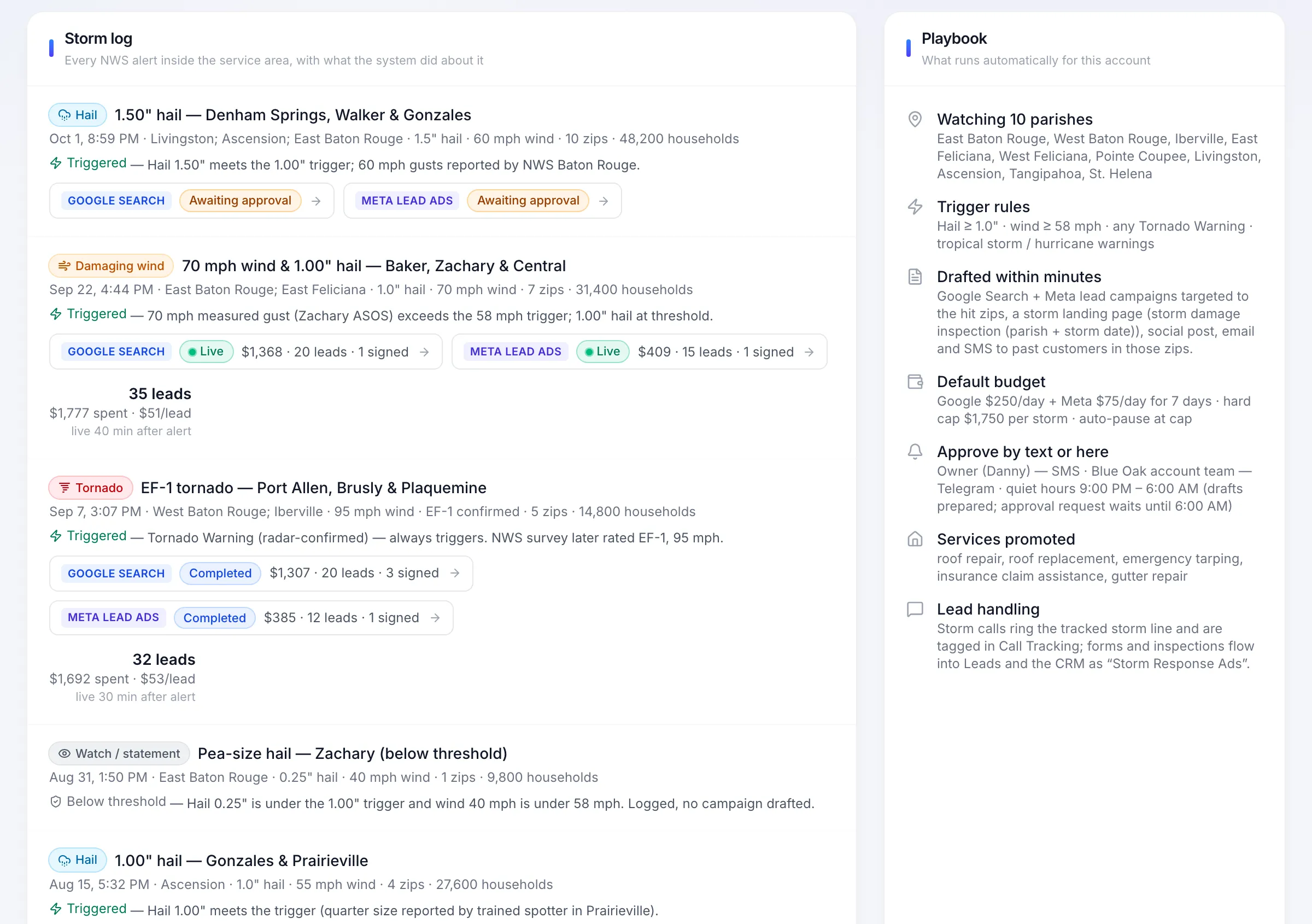
A storm log of every NWS alert that touched your service area, with hail size, wind speed, parishes or counties, households in the hit zips, and whether it cleared your trigger rules.
Drafted within minutes
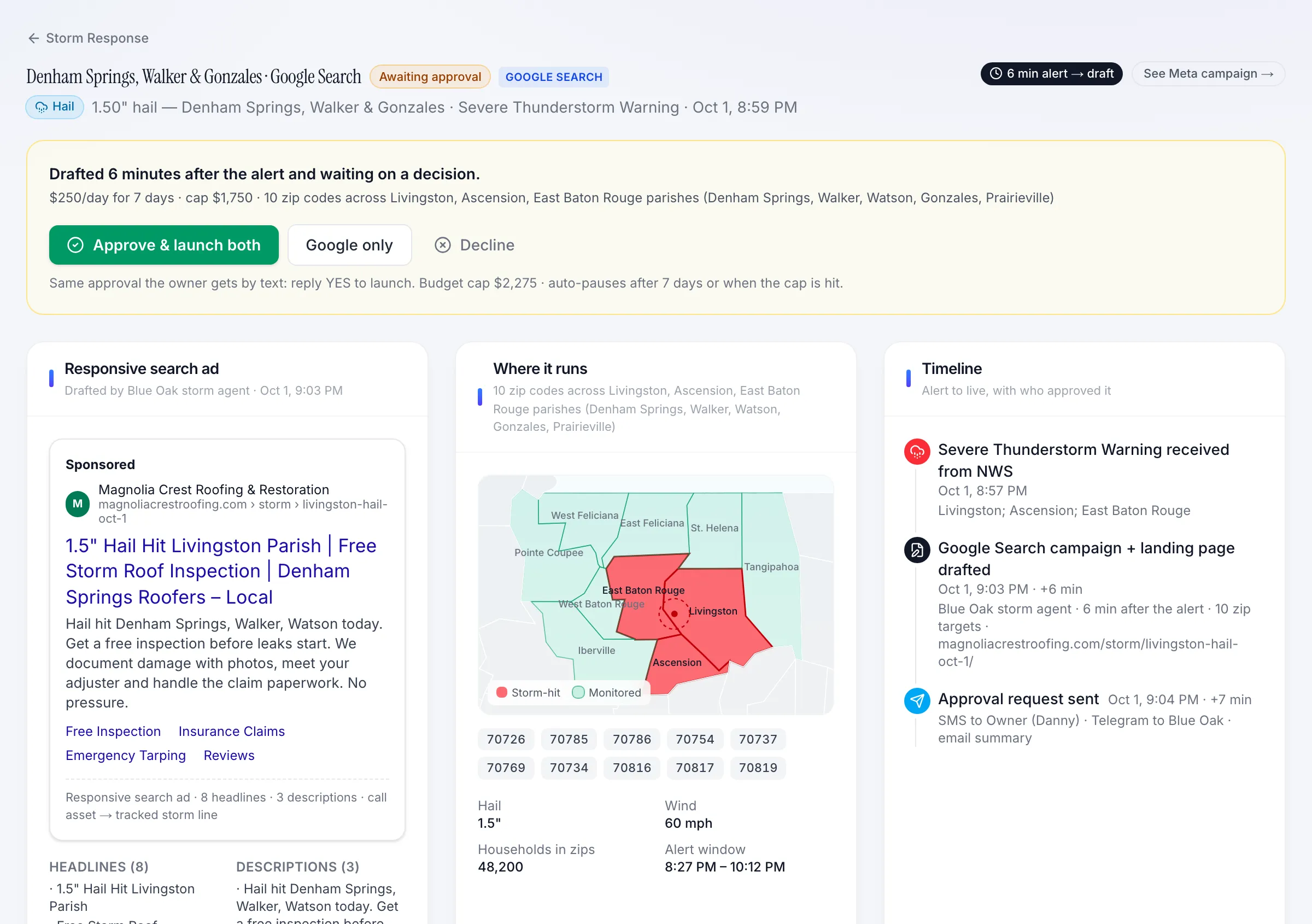
Google Search and Meta lead campaigns written for that storm — storm-damage, free inspection, emergency tarping, and insurance-claim angles — targeted to the affected zip codes.
You approve, it launches
Nothing spends until you say so. Approve from your phone and the campaigns go live with your daily budget and spend cap.
Alert-to-live timeline
Every step timestamped — alert received, draft ready, owner notified, approved, live, paused — with who approved it.
Results per storm
Spend, leads, cost per lead, inspections booked, signed jobs, and contracted revenue for each storm run, with daily performance through the campaign.
Your playbook, your rules
Set the trigger thresholds, default budget, services promoted, landing page, and how leads are handled once — every storm follows it.
See it with real-looking numbers.
Don't take the screenshots' word for it.
Magnolia Crest Roofing & Restoration is a fictional two-office roofer running on the same portal our home-services clients use. The numbers refresh every morning. Change the date range, switch offices, open any storm.
What roofers ask us.
- Does it launch ads without asking me?
- No. Storm campaigns are drafted automatically and wait for your approval.
- Where does the weather data come from?
- Official National Weather Service alerts, checked continuously. We match each alert’s area against your service area down to the zip code.
- What happens to the leads?
- They go wherever your leads go today — your CRM, your office line, your estimators’ phones — tagged with the storm that produced them.
- Will it bid on storms outside my area?
- No. Only alerts that overlap the parishes, counties, or zip codes you serve, and only when they clear the thresholds you set.
Everything else a roofer gets.
- Jobs & RevenueEvery lead pulled from your roofing CRM and lined up against approved jobs and contracted revenue, so each lead source is judged on signed work, not form fills.See how it works
- Ad AreasCost per lead by primary and secondary market, and jobs plotted by the parish or county your customers live in. Find out which towns are worth the ad money.See how it works
- LSA & Call TrackingLocal Services Ads leads, charged-lead cost, and credit-back disputes next to every tracked call — with call summaries sorted into estimates, repairs, and insurance claims.See how it works
- Reviews & Google BusinessReviews across every office in one place, drafted replies, and Google Business listing performance — calls, direction requests, and searches — per location.See how it works
- Ad Spend & BudgetReal conversions per campaign — calls, inspection bookings, forms — and monthly budget pacing across every channel and vendor you pay.See how it works
Ready to put a marketing + technology team behind your business?
20-minute intro call. We'll tell you what we'd build first.