For two years, the honest answer to “how do I fix what ChatGPT says about my business” was that you could not. There was no login, no listing to edit, and nobody to call. You fixed your website, your Google Business Profile, and your reviews, and hoped the model picked it up.
That changed on November 10, 2026. OpenAI opened Businesses in ChatGPT in beta, and with it a dashboard called Business Hub where a business can claim its profile, correct its information, and see how often ChatGPT mentions it.
This is a walk through what it is, who can use it today, the exact claim steps, and the part most of the launch coverage skipped: what claiming does not do. Everything here comes from OpenAI’s announcement and help documentation as of November 11, 2026. It is a beta, so expect details to move.
What is Businesses in ChatGPT?
Businesses in ChatGPT is OpenAI’s program that lets a business claim and manage its profile inside ChatGPT. It runs through Business Hub, which does three things:
- Claim and verify. Prove you own or represent the business.
- Manage information. Update your website, description, category, logo, cover photo, and delivery and return policies. Businesses that sell products can connect a product feed with prices and availability.
- See insights. Aggregate counts of how often ChatGPT mentioned your business, how many people clicked through to your website, and the common themes of the answers you appeared in.
There is a fourth piece, Business Agents, which lets a business publish its own chat agent inside ChatGPT. That is limited to eligible ecommerce and online service businesses in the U.S. for now, so most local service businesses can ignore it today.
When your business shows up in a ChatGPT answer, people can click through to this profile. Think of it as the closest thing ChatGPT has to a Google Business Profile.
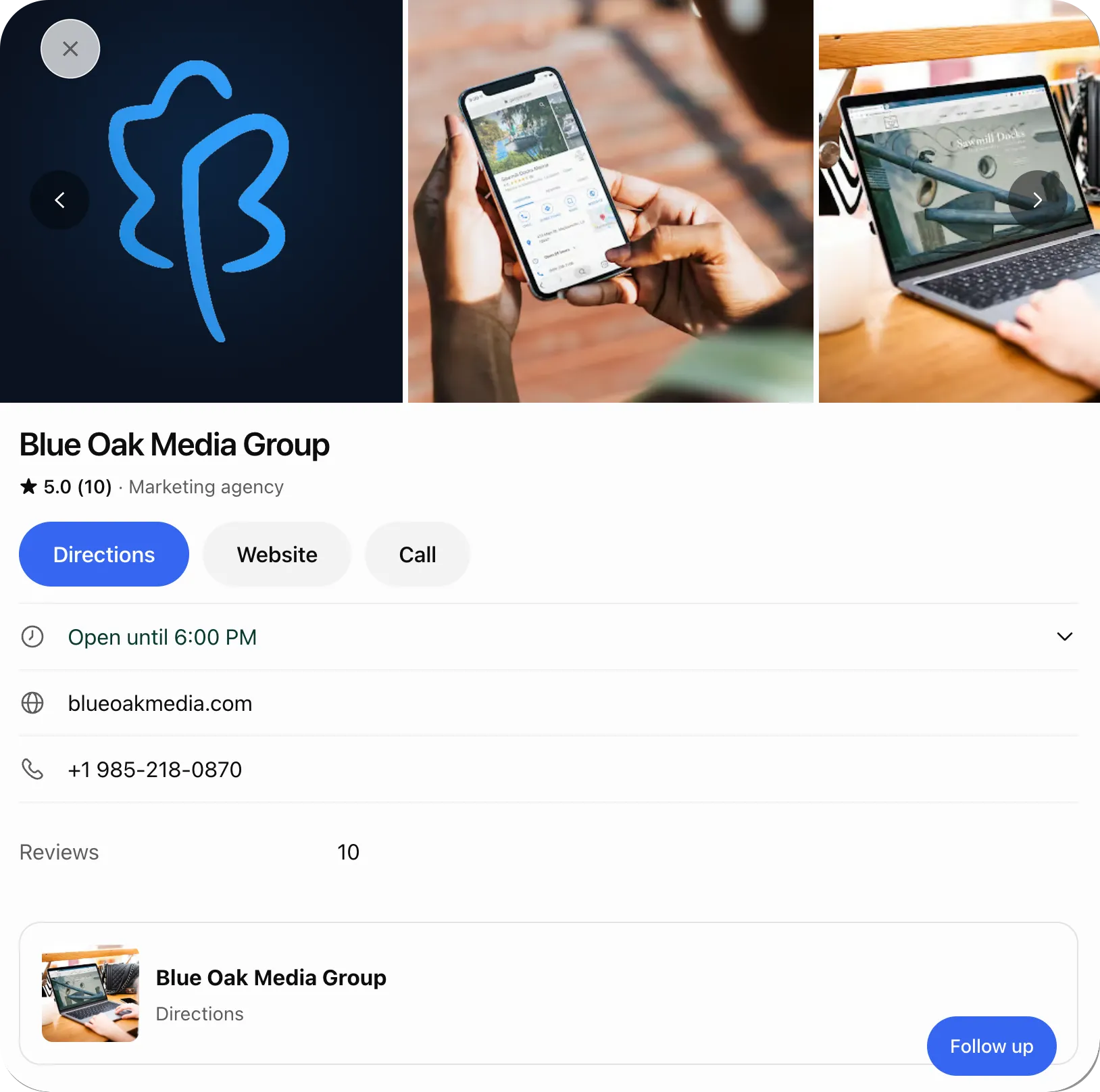 Our own profile in ChatGPT on November 11, 2026, with no verified check yet. The photos, category, and details are what ChatGPT assembled on its own.
Who can claim a ChatGPT business profile right now?
You can claim a profile if you own the business or are authorized to represent it, and OpenAI approves the claim. You do not need a ChatGPT Enterprise contract or an ads account, and OpenAI’s documentation does not list a fee.
Two limits matter for local businesses:
- Local stores and restaurants can only claim an existing U.S. listing. If ChatGPT does not already have a listing for your location, you cannot create one yet. Online businesses may see an option to add themselves.
- Availability depends on location and business type. OpenAI says eligibility is not universal during the beta. The only way to know is to search for your business in Business Hub and see what it offers you.
How do you claim your business in ChatGPT?
Claiming takes two separate approvals: a claim on the listing, then an identity check through a verification company called Persona. Most of the features sit behind the second one.
- Sign in to ChatGPT and open Business Hub from the sidebar, or go to chatgpt.com/business-hub. Use the account you want to own the profile long term (more on that below).
- Search for your business by name and select the listing that matches.
- Pick a verification method. OpenAI offers some combination of four:
- Business phone: a code by text or automated call to the number on the listing.
- Business email: a code to the email address associated with the business.
- Website domain: a TXT record you add to your domain’s DNS settings.
- Shopify: a login to the store connected to the business.
- Wait for claim approval. OpenAI reviews the claim and emails a decision or a request for more information.
- Complete identity verification with Persona. Expect to need a government-issued ID, business registration information, and proof you are authorized to represent the business. The name, address, and any registration or tax number you enter should match your official business records exactly.
- Wait for the second approval. Once Persona verification is approved, you can publish changes and view insights, and the profile gets a blue verified check.
Until step 6 clears, you can see the profile in Business Hub but you cannot publish edits, see insights, or connect a product feed. Claiming alone does not earn the verified badge.
What can you change once you are verified?
You can update your website, business description, product or service category, logo, cover photo, and delivery and return policies. If you sell products, you can connect a feed so ChatGPT has current prices and availability.
Two caveats from OpenAI’s own documentation:
- Edits are reviewed before they publish, and they can take time to show up in a listing or an answer.
- ChatGPT may still use other sources when it answers questions about your business. The profile is one input. Your website, your reviews, and your directory listings are still the others.
That second point is why the profile is not a replacement for the rest of the work. If your profile says one thing and your website and Google Business Profile say another, you have added a conflicting source, not a correction.
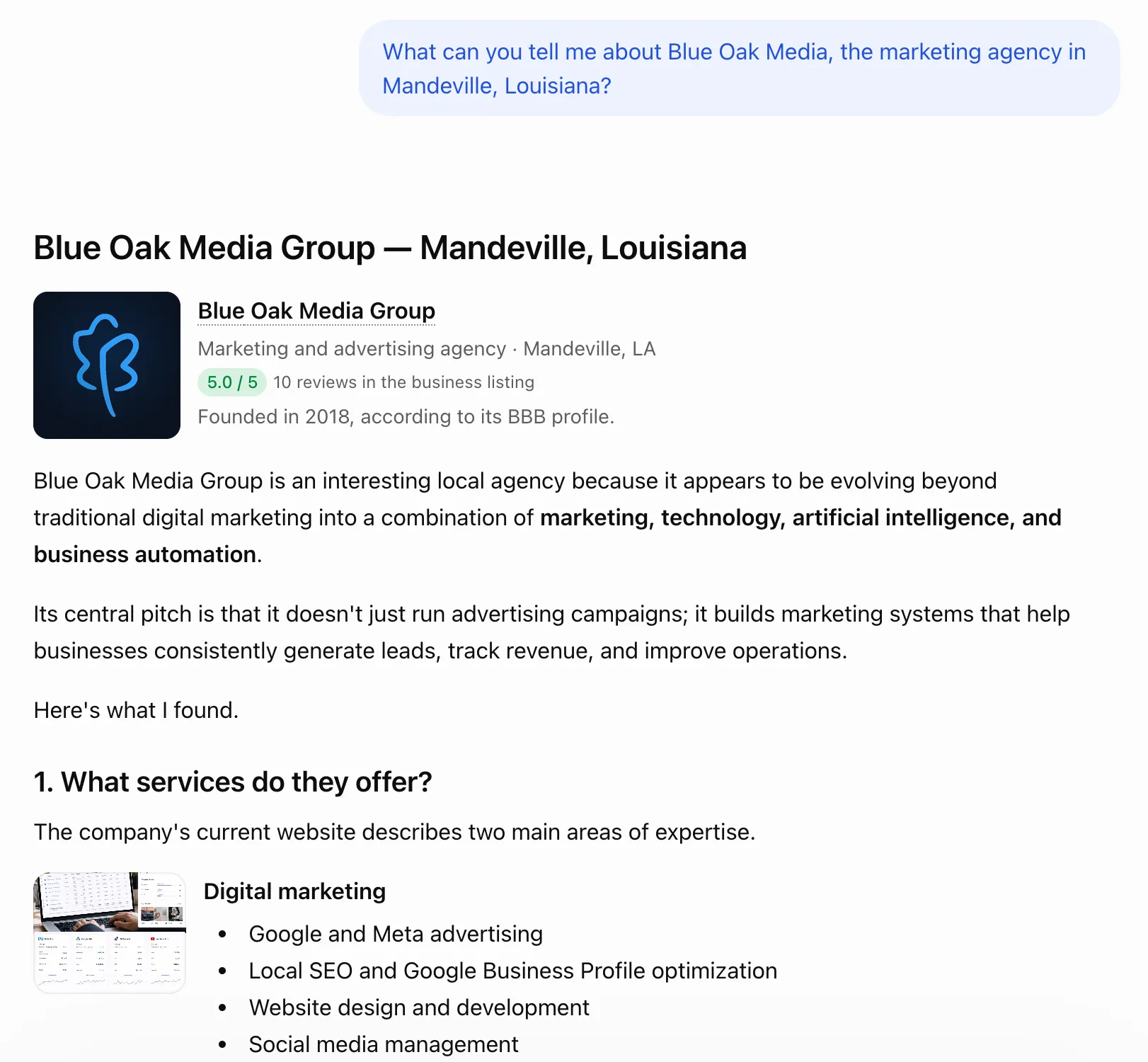 Asking ChatGPT about our own agency. The answer pulls from the listing, our website, and a BBB profile in the same response.
What do the ChatGPT insights actually show?
Insights show aggregate activity for the past 28 days in three buckets:
| Metric | What it counts |
|---|---|
| Mentions | For a local business, each time ChatGPT shows a result for that location, even if nobody opens it. For an online business, each time ChatGPT references the website. The brand name alone does not count. |
| Website clicks | How often people clicked through to your site. |
| Discovery topics | Common themes in the answers that mentioned or cited you. |
What you do not get: individual prompts, conversations, or anything that identifies a customer. Discovery topics are grouped themes, not a search-terms report.
One detail worth knowing before you read too much into the numbers: OpenAI says counts may be incomplete, and a blank metric can mean activity has not reached a reporting threshold. Blank does not mean zero.
Even with those limits, this is the first first-party data any assistant has given a business about its own visibility. Until now the only way to measure it was to type your customers’ questions into ChatGPT by hand and write down what came back. That manual testing is still worth doing, because the insights only cover ChatGPT and only cover your own business. But a real mention count beats a sample of twenty prompts.
Does claiming your profile make ChatGPT recommend you more often?
No. OpenAI is direct about this: claiming lets you manage the information you provide. It does not guarantee more visibility, and it does not give you control over ChatGPT’s independent recommendations. OpenAI also states that advertising does not influence those answers, and that claiming or disputing a profile does not change its visibility.
Anyone selling a claimed profile as a ranking boost is selling something OpenAI says does not exist.
What still decides whether you get recommended is the same substrate we covered in answer engine optimization for local businesses: accurate and consistent business information everywhere it appears, a steady flow of recent reviews, content that answers real customer questions directly, and presence on the third-party sources assistants cite.
Why claim it now if it does not improve rankings?
Four reasons, none of which require a promise about visibility:
- Accuracy. When ChatGPT does show your business, the description, category, and website on the profile are ones you wrote.
- Measurement. The 28-day window only tells you something once you are verified and looking at it. The sooner you start, the sooner you have a baseline to compare against.
- Ownership. A claimed, identity-verified profile is tied to your account. Unclaimed listings are open to whoever claims them first, and fixing that means a dispute process.
- Position for what comes next. OpenAI says it plans to expand the program to more markets and categories. Being verified now means not standing in the approval line later.
Where local businesses get stuck
These are the points in the documentation that will cost you time if you find them the hard way:
- The account you claim with matters. The profile attaches to the ChatGPT account that claimed it. Claim it with an account the business controls, not an employee’s personal login. Early user reports on OpenAI’s forum describe trouble moving a profile between accounts afterward.
- Multiple locations are claimed one at a time. Claiming the main brand does not claim its locations, and there is no central management across locations or brands yet.
- Phone and email verification only work if the listing data is right. The code goes to the number or address already on the listing. If that is an old tracking number or a former employee’s inbox, use domain verification instead.
- Domain verification needs DNS access. Someone has to add a TXT record. If nobody at the business knows where the domain is managed, find that out first.
- A published profile cannot be taken back down. OpenAI’s support will not delete, unpublish, or hide a published profile. If Persona creates a new profile for you, approval publishes it automatically, so have the details right before you submit.
- Agencies get invited, they do not claim. The admin who claimed the business can grant an agency access from Business Hub, each person on their own ChatGPT account. Do not forward a personal claim invitation to someone else.
When this is not worth your time yet
- Your business has no listing and you are a local store or restaurant. You cannot add one today. Put the hour into your Google Business Profile and your reviews, which feed far more of what assistants say about you, and check back.
- Your information is inconsistent everywhere else. A clean ChatGPT profile on top of three different phone numbers across the web does not fix the underlying problem. Settle on one canonical name, address, phone, and service list first, then claim.
- You are outside the U.S. with a physical location. Local claims are U.S.-only for now.
- You expect leads from it next week. This is a housekeeping and measurement step. It is an hour or two of work that makes your information correct and gives you data. It is not a campaign.
For most established U.S. businesses with a website and an existing listing, none of those apply, and the claim is worth doing this month rather than next quarter.
The short version
- Search for your business in Business Hub from a company-controlled ChatGPT account.
- Verify by phone, email, domain, or Shopify, then complete the Persona identity check.
- Make the profile match your website and Google Business Profile exactly.
- Check insights after the first 28 days and treat that as your baseline.
- Keep doing the reviews, content, and consistency work that determines whether you get mentioned in the first place.
Get a free AI visibility assessment
We are claiming and verifying ChatGPT profiles for the local businesses we work with across Louisiana and the Gulf South, alongside the local SEO and answer engine work that decides whether those profiles get shown.
If you want a straight read on where you stand, we will check how ChatGPT and the other AI assistants describe your business today, whether your profile is claimable, and what to fix first. Get your free assessment.